How Enterprise Web Solutions Development Can Drive Your Business Growth?
Growth is fun, until your team starts working in 6 different tools. One for sales, one for support, one for files, and a few “temporary” spreadsheets that never go away. That is where Enterprise Web Solutions development start making sense. They pull daily work into one system, so work moves without constant follow-ups.
This shift is not small. As per reports, worldwide IT spending is expected to reach $6.15 trillion in 2026, up 10.8% from 2025. Many companies are using that spend to fix real problems, like slow approvals, messy data, and disconnected apps. The goal is simple. Make work move faster. Keep data in one place. Reduce daily back-and-forth. That is where enterprise web solutions start making real sense.
A lot of teams are tired of juggling tools that do not connect. One update sits in email, another in a spreadsheet, and the customer record is somewhere else. So work slows down, and mistakes creep in. Enterprise web solutions bring these pieces together, so people can do their job without chasing updates all day.
There is also a risk angle. Also, one report puts the global average breach cost at $4.4 million. Good enterprise web development reduces this risk with better access control, logging, and cleaner data flows. In this guide, you will see when enterprise web app development is needed, what features matter most, how enterprise web solutions services usually work, and what the cost drivers look like.
TL;DR
- Enterprise Web Solutions development bring workflows, data, and teams into one secure web system.
- You need them when tools feel scattered and work starts slowing down.
- The biggest wins are security, speed, clarity, and better reporting.
- Cost changes with modules, integrations, and how deep the testing goes.
- AI and API-first builds are shaping how enterprise platforms work next.
Key Points
- Enterprise Web Solutions development reduce daily friction by replacing manual steps with clear workflows and role-based access.
- Enterprise web app development is most useful when multiple teams need one shared source of truth.
- Enterprise web development succeeds when requirements, UX, security, and performance are planned early.
- Enterprise web solutions services should include discovery, build, QA, and long-term maintenance, not only launch delivery.
- Integrations and data work often take more time and money than the screens.
- Security never “finishes.” Plan logging, patches, and monitoring from day one.
What Are Enterprise Web Solutions?
Enterprise Web Solutions are large, secure web systems built for real business work. Think of tools that handle approvals, data access, reporting, and daily workflows across teams. They are not simple websites. They are web platforms that run operations.
In plain words, this is enterprise web development done to connect people, data, and processes in one place. A typical setup includes custom web solutions like dashboards, portals, admin panels, and self-service screens. Many teams also add cloud web solutions so the app stays fast during peak hours and scales without drama.
Most companies use enterprise web app development when Excel, email threads, and scattered apps start slowing things down. You can also think of it as web solutions consulting plus build, where a web solutions company maps your workflows first, then builds the right system. This is why strong enterprise web solutions services focus on security, performance, and adoption, not just code.
When Do Businesses Need Enterprise Web Solutions Development?
You need Enterprise Web Solutions development when daily work starts feeling messy. Too many tools. Too many logins. Too many “Where is the latest file?” moments. If teams spend more time chasing updates than doing real work, it is a signal.
A common trigger is growth. You add new branches, new teams, or new service lines. Then simple systems break. Spreadsheets start showing wrong numbers. Emails become approvals. Customer data sits in different places. That is when enterprise web app development becomes a real need, not a “nice to have”.
You also need enterprise web development when security and access control matters. If different roles need different screens, permissions, and audit logs, a basic site cannot handle it. The same goes for compliance-heavy work, like healthcare web solutions or finance workflows, where one data leak can cost you trust.
Here are a few clear signs:
- Workflows stay manual and slow, so people repeat the same steps twice.
- Reporting takes hours because data lives in 3–5 tools.
- Teams use WhatsApp or email for task updates, and things get missed.
- You need one system for multiple departments, like CRM, support, and operations.
- You want cloud web solutions that stay stable when usage spikes.
Benefits of Enterprise Web Solutions Development for Businesses
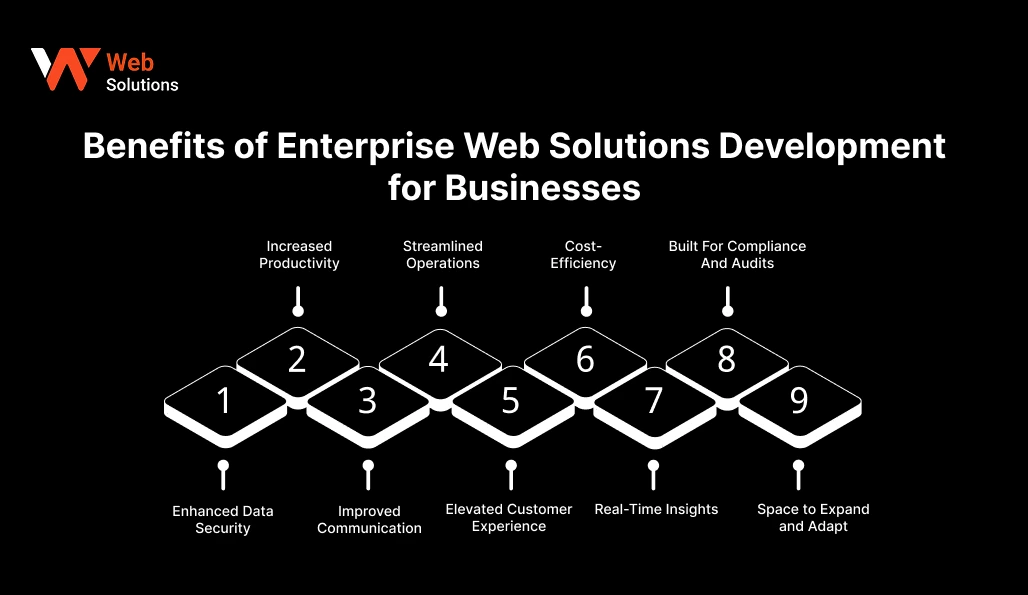
Enterprise Web Solutions development helps you run work in one place, with fewer gaps and fewer surprises. The real win is simple. Less manual chasing. More control over data, users, and outcomes. With the right enterprise web solutions services, you also get a setup that stays stable as the business grows.
1. Enhanced Data Security
Sensitive data should not sit in random folders or open sheets. Enterprise systems add role-based access, login rules, audit logs, and safer data handling. It becomes easier to answer, “Who accessed what, and when.”
2. Increased Productivity
When tasks move in a clear flow, people finish work faster. Approvals, ticket updates, and reports stop living in email threads. Teams spend more time doing the job, not coordinating the job.
3. Improved Communication
A single platform reduces back-and-forth messages. Updates stay tied to the task, not buried in chat. It also cuts confusion between teams like sales, support, and operations.
4. Streamlined Operations
Manual steps are where delays and errors hide. Enterprise web app development can automate repetitive actions like assigning tasks, sending alerts, or moving a request to the next stage. Your process becomes predictable, even on busy days.
5. Elevated Customer Experience
Customers notice a clean system. Replies come faster. Errors drop. Follow-ups do not get missed. Portals, order tracking, and self-serve screens also cut down support tickets.
6. Cost-Efficiency
Yes, building a platform costs money. But scattered tools, rework, and missed handoffs cost more over time. A single system can replace 2–4 tools and reduce time wasted on manual work.
7. Real-Time Insights
Leaders hate waiting for yesterday’s numbers. Dashboards can show live sales, support volume, delivery delays, or stock issues. This helps teams decide faster, with fewer gut calls.
8. Built For Compliance And Audits
Some industries need tighter controls from day one. Healthcare web solutions and finance workflows often need strong privacy, logging, and access rules. Enterprise web development makes it easier to meet these expectations in a structured way.
9. Space to Expand and Adapt
Today it is one department. Tomorrow it is five. A strong enterprise build is designed to scale, add modules, and integrate new tools without breaking the core system. That is how you grow without rebuilding everything again.
Core Features of Enterprise Web Solutions Development
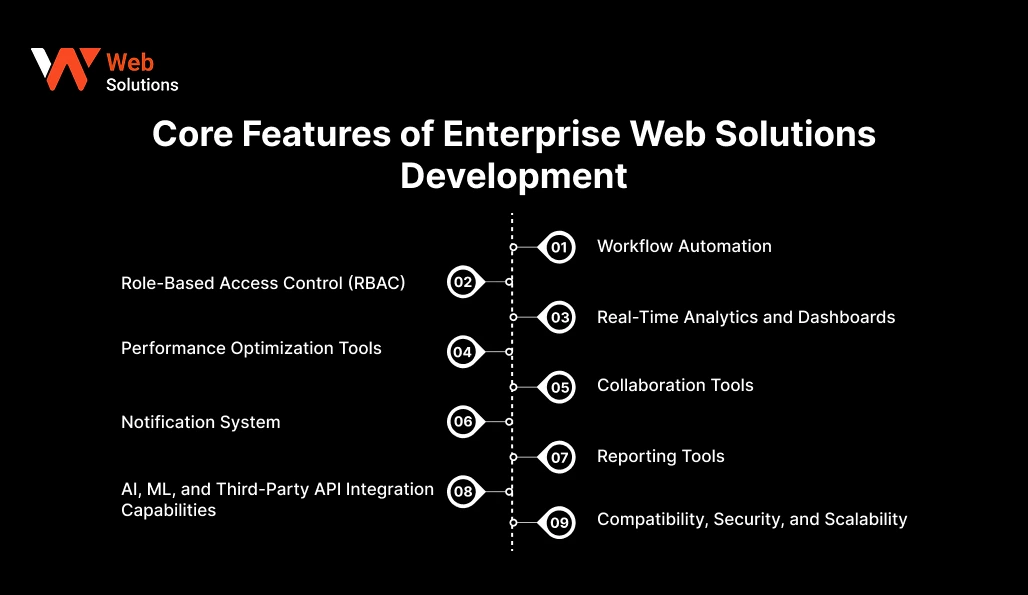
Enterprise Web Solutions development is built for real work, not just “nice screens.” The best ones feel calm to use, even when 50 people are logged in. A solid enterprise web app development plan focuses on features that reduce mistakes, protect data, and keep teams moving.
1. Workflow Automation
This feature saves time fast. Approvals move ahead on their own. Tasks go to the right person. Status changes update without follow-ups. Reminders also go out on time. Example: when a ticket turns “High Priority,” it can assign to the right team and start the SLA clock right away.
2. Role-Based Access Control (RBAC)
Not everyone should see everything. RBAC lets you control what each role can view, edit, download, or approve. It protects sensitive data and also reduces confusion, because users only see what matters to their job.
3. Real-Time Analytics and Dashboards
Dashboards turn scattered data into clear signals. You can track sales pipelines, open tickets, project delays, or team workload in near real time. This helps leaders act early, not after the damage is done.
4. Performance Optimization Tools
Enterprise users do not tolerate slow pages. Caching, query tuning, load testing, and performance monitoring keep the app fast. This matters even more if you are running cloud web solutions with traffic spikes.
5. Collaboration Tools
Teams need shared context. Comments, mentions, file sharing, task notes, and activity history keep work tied to the record. It cuts the “Can you resend that?” loop.
6. Notification System
The right alert at the right time saves hours. Notifications can be email, in-app, SMS, or push, based on your workflow. A good system also lets users control noise, so important alerts do not get ignored.
7. Reporting Tools
Reports are for audits, planning, and weekly reviews. You need exports, filters, scheduled reports, and role-based access to reports too. Many teams also connect reporting to a CRM web solutions setup to track lead-to-sale movement.
8. AI, ML, and Third-Party API Integration Capabilities
Most enterprise apps are not “standalone.” They connect to CRMs, payment gateways, HR systems, ERPs, identity tools, and chat systems. APIs make that possible. AI or ML can add smart search, ticket triage, document tagging, or anomaly alerts, but only when the data is clean and the rules are clear.
9. Compatibility, Security, and Scalability
These are non-negotiables. The app should work across devices and browsers, stay secure under real use, and scale without crashing. This is where strong enterprise web solutions services earn their value, because reliability is built through planning, testing, and long-term upkeep.
Factors to Consider Before Enterprise Web App Development
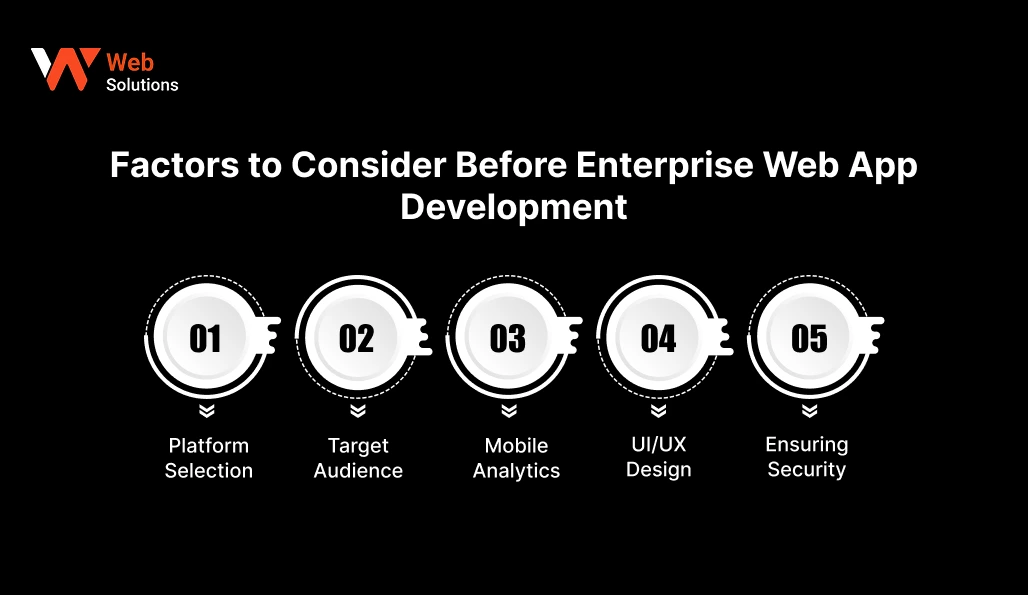
Enterprise web app development works best when you plan the “boring” parts early. Not just screens and features. Things like users, devices, data, and security rules. These choices decide if the product feels smooth after launch or turns into daily friction.
-
Platform Selection
Start with where this web app will live. Cloud, on-premise, or a hybrid setup. Also, decide the browser and device support you need, like Chrome, Safari, and Edge. If your teams work in warehouses, hospitals, or on the road, even older devices may be in the mix. Build for the real world, not the demo laptop.
-
Target Audience
Enterprise users are not one group. A manager, an agent, and an admin all need different screens and permissions. List your roles, daily tasks, and top pain points. If you skip this step, you will build one “average” flow that makes everyone slightly unhappy.
-
Mobile Analytics
Do not wait till after launch to track usage. Decide what you will measure from day one, like login drop-offs, slow pages, feature usage, and failed actions. This helps you spot adoption issues early. It also shows which screens need fixing first.
-
UI/UX Design
A clean UI saves time every single day. Keep menus simple. Keep key actions easy to find. Use consistent labels and fewer clicks for common tasks. Enterprise apps are used under pressure, like during a shift change or a client call, so clarity matters more than fancy visuals.
-
Ensuring Security
Security cannot be a last-minute layer. Plan access rules, data storage, audit logs, encryption, and session timeouts early. If you have compliance needs, document them before design starts. Good enterprise web solutions services treat security like a core feature, not a checklist at the end.
How Enterprise Web Solutions Services Work?
Enterprise work is rarely “one straight build.” It is planning, building, testing, and then improving after real users touch the system. Good enterprise web solutions services follow a clear path, so scope stays under control and launches do not turn into panic.
1. Define Business Goals
This step sets the direction. Teams map what the web app must solve, like faster approvals, fewer support tickets, or one shared customer view. Clear goals also stop feature creep later, because every new request can be checked against the goal.
2. Budget Estimation
Budget is not just “dev cost.” It includes discovery, design, build, QA, integrations, hosting, and support. A good estimate also shows what is included now and what can be phased later. That is how you avoid surprise add-ons.
3. Technical Specifications
This is the tech plan in plain words. It covers user roles, permissions, data flows, integrations, and key rules. For example, who can approve a request, what happens if an API fails, and where audit logs sit. This step is also where performance and security requirements get locked.
4. Wireframe Prototype
Wireframes are rough screen maps. They show layout, navigation, and user steps without final design. It helps stakeholders see the flow early and catch missing steps, like “Where does this form go after submit?”
5. UI/UX Design
Now the wireframes become real screens. Design covers page structure, forms, tables, dashboards, and error states. The goal is speed and clarity, not fancy visuals. A good UI reduces training time and support tickets.
6. Product Development
This is where enterprise web development happens in sprints. Teams build modules like login, admin panels, dashboards, workflows, and integrations. You also set up environments for staging and production, so releases are safer.
7. Testing and Quality Assurance
QA checks the app like a real user would. It covers functional testing, role-based access checks, security basics, performance testing, and cross-browser checks. This is also where edge cases show up, like slow networks, duplicate clicks, and partial data sync.
8. Maintenance and Updates
Launch is not the finish line. You will need monitoring, bug fixes, security patches, and feature upgrades. As your business changes, the app should change too. That is why long-term support is part of serious enterprise web app development, not an optional add-on.
Best Practices for Enterprise Web Application Development Success
Enterprise web application development is not only about building features. It is about building something people will actually use, every day, without breaking under pressure. These best practices keep enterprise web development clean, secure, and easier to scale later.
-
Conduct a Detailed Requirements Analysis
Talk to real users, not only managers. Map the exact steps they follow today, including the messy parts. Capture edge cases too, like approval overrides, refunds, or duplicate records. This step saves weeks of rework later.
-
Employ Modular Design Principles
Build the system in modules, like users, roles, workflows, reports, and integrations. When each part is separate, updates become safer. It also helps when you want to add a new department or a new workflow without touching everything.
-
Implement Security
Start security early. Use RBAC, strong password policies, MFA when needed, and secure sessions. Encrypt sensitive data and log key actions. If you wait till the end, security becomes patchwork, and patchwork fails.
-
Choose a Future-Ready Tech Stack
Pick a stack that your team can support for years, not months. Consider long-term hiring, documentation, and community support. Also, check if it fits your cloud plan, API needs, and reporting needs.
-
Iterate Fast With Feedback
Enterprise needs change mid-build, it always happens. Agile work happens in short sprints. You build a small part, show it early, and fix things while it is still easy. People who need to approve also see progress in between. So the final delivery does not shock anyone.
-
Follow A Clear Build Process
SDLC brings discipline. Work moves in clear steps. First, you understand the need. Then you design, build, test, and launch. After that, you keep updating it. This helps everyone see what is done and what is pending. It also helps catch risks early and note decisions properly.
-
Design For Mobile Screens First
Many enterprise users are not sitting at desks. Think field staff, managers on the move, or sales teams during visits. Responsive screens, readable tables, and touch-friendly actions matter. Test on a budget Android phone too, not only on a new iPhone.
-
Build with an API-First Approach
APIs make the system flexible. You can connect CRM web solutions, payment tools, ERPs, and analytics platforms without hacks. It also helps if you later build a mobile app on top of the same backend.
-
Reduce Lag For Users
Slow apps kill adoption. Use caching, database tuning, background jobs, and load testing. Track page speed and slow queries from day one. A fast system feels “easy,” even when it is doing complex work.
-
Leverage Cloud-Native Deployment
Cloud-native setups make scaling easier. You can use auto-scaling, managed databases, and safer deployments. This also supports modern enterprise web solutions services, where uptime, monitoring, and quick rollbacks are part of daily operations.
Suggested Article: How Affordable Web Solutions Can Fuel Your Business Growth
Understanding the Enterprise Web Development Cost
Enterprise web development cost is not a single number because “enterprise” can mean very different scopes. A simple internal portal is one thing. A multi-team platform with workflows, dashboards, and 5 integrations is another thing. That is why costs swing fast.
To keep it simple, most 2026 budgets sit in three tiers. Simple builds are usually $20K–$70K. Mid builds often land around $80K–$180K. Complex platforms can run $200K–$500K+. These are common market ranges, not fixed quotes.
| Cost Tier | Average Cost | Typical Timeline |
| Simple | $20,000–$70,000 | 6–12 weeks |
| Mid | $80,000–$180,000 | 3–6 months |
| Complex | $200,000–$500,000+ | 6–12+ months |
Top Enterprise Web Solutions Used Today
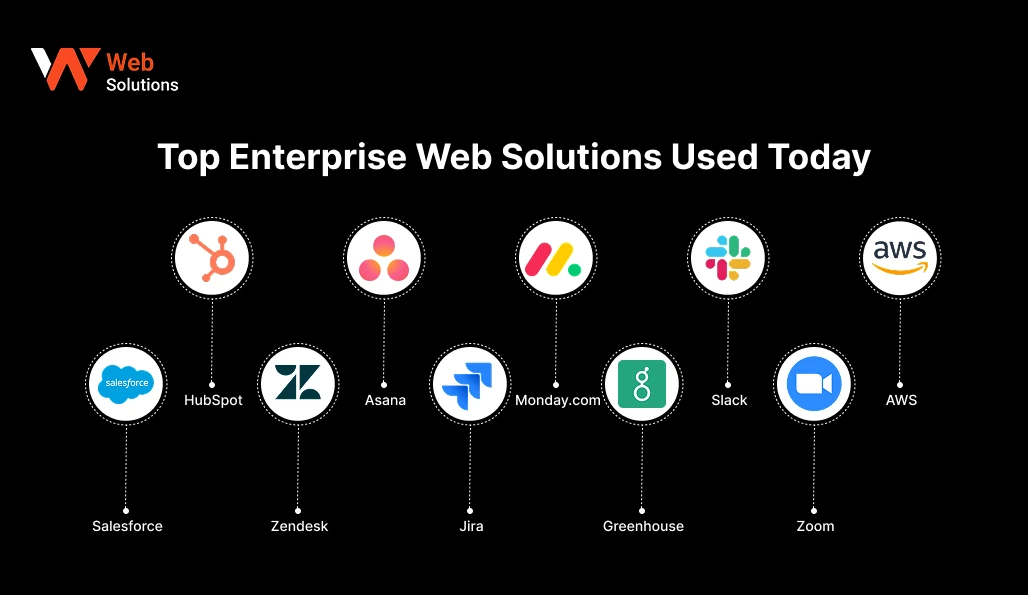
These tools win because they solve boring, expensive problems. Sales handoffs. Support queues. Project chaos. Hiring workflows. Team communication. Cloud scale. Most companies do not replace them overnight, they build around them with Enterprise Web Solutions development and integrations.
| Platform | Best For | What It Does Well In Enterprise Teams |
| Salesforce | CRM + enterprise sales ops | A solid CRM base with automation, roles, reports, and a large app store. |
| HubSpot | Sales And Marketing CRM For Small To Mid Firms | Clean UI, fast adoption, strong marketing and sales alignment, solid integrations. |
| Zendesk | Customer Service Ticketing Tool | Ticket tracking with SLAs, a knowledge base, multi-channel support, and dashboards. |
| Asana | Project and task management | Clear work tracking, cross-team visibility, timelines, approvals, and ownership. |
| Jira | Software delivery and IT workflows | Built for engineering teams, agile boards, issue tracking, release workflows, and integrations. |
| Monday.com | Work management for ops teams | Flexible boards, automations, dashboards, and many “business” templates for non-tech teams. |
| Greenhouse | Hiring and ATS | Structured hiring pipeline, interview kits, approvals, and reporting for recruiting ops. |
| Slack | Team communication + workflows | Fast internal communication, channels by function, alerts from tools, and workflow automation through integrations. |
| Zoom | Meetings and internal collaboration | Reliable video meetings and webinars. |
| AWS | Cloud infrastructure platform | The backbone for many enterprise apps, data, and scaling needs. |
1. Salesforce
Salesforce is a CRM used by many large teams to track leads, deals, accounts, and customer history in one place. It fits well when you have many roles, strict rules, and approval steps, like enterprise sales and partner teams. You can route leads automatically, set follow-ups, and build dashboards by region or product line. It also connects with lots of tools, so it often becomes the main record system your Enterprise Web Solutions development connect to.
2. HubSpot
HubSpot is a good fit when a team wants sales, marketing, and support data in one place. It does not take weeks to learn, so people start using it fast. You can see contact history, track emails, manage deal stages, and run basic marketing automation. For bigger teams, it helps when you need clean reports and smooth integrations, but still want a simple screen layout for daily work.
3. Zendesk
Zendesk is for support teams that handle many tickets and need clear SLAs. It helps you log each request, assign it to a person, set priority, and track response time. Many teams also use the help centre so customers can find answers on their own. For large setups, Zendesk works best when you want a proper support flow with strong reports, and you plan to connect it with your CRM and product tools.
4. Asana
Asana helps teams track tasks, owners, and due dates in one place. It is useful when work moves between many people, like launches, campaigns, or operations projects. You can see what is stuck, what is late, and who has to act next. For big teams, it works better with shared templates and simple rules. If everyone creates their own boards, it gets messy fast.
5. Jira
Jira is used a lot by software teams to track bugs, features, releases, and sprint work. It is strong when you need detailed steps, clear access rules, and a history of changes. Many companies also use it for IT requests and internal ticketing. Jira fits enterprise web development work, but it needs control. Too many custom fields and workflows can slow the team down.
6. Monday.com
Monday.com is a flexible work tool used by ops, marketing, HR, and sales teams. You can set up boards for tasks, approvals, and simple workflows, so teams start quickly. Dashboards help managers check progress without calling everyone. In bigger setups, set naming and permissions early. If each department builds its own style, reporting becomes confusing.
7. Greenhouse
Greenhouse is an ATS for structured hiring. It helps teams manage job posts, screening, interviews, scorecards, and approvals in a fixed flow. This is useful when you hire at scale and want more consistent decisions. For enterprise use, it works best when linked with HR and onboarding tools. That way, candidate details do not get typed again and again.
8. Slack
Slack is a chat tool, but many teams use it for work updates too. Channels keep topics separate, like support, releases, incidents, and projects, so messages do not get lost. It also connects with tools like Jira and Zendesk, so alerts reach the right people quickly. For large teams, simple channel rules matter. Too many pings can make people ignore it.
9. Zoom
Zoom is used for meetings, training, webinars, and client calls, especially when teams sit in different places. It is known for stable video, easy screen sharing, and controls that still work on weak networks. Enterprises also use it for big webinars and internal town halls, with recordings for later. It works better when teams set basic rules for meeting links, security, and recording access.
10. AWS
AWS is a cloud platform many enterprises use to run web apps, databases, APIs, and data work. It supports scaling, storage, security controls, monitoring, and disaster recovery. This helps when usage jumps, like during a sale, a launch, or month-end reporting. In Enterprise Web Solutions, AWS keeps basics stable, like uptime and secure access. But if setup is careless, costs can rise quietly.
The Future of Enterprise Web Solutions Development: Trends Shaping the Digital Era
Enterprise web apps are changing because work is changing. Teams want faster decisions, safer data, and systems that connect without drama. The next wave of Enterprise Web Solutions development will be less about “more features” and more about smarter building blocks that are easier to upgrade.
-
Artificial Intelligence
AI is moving from “nice demo” to daily utility. In real apps, it helps with smart search, ticket triage, document tagging, and draft replies for support teams. The key is control. Good AI web solutions keep humans in the loop, log what happened, and avoid guessing when data is missing.
-
Blockchain
Blockchain is not for every company. But it helps when trust and traceability are the real problem. It can keep audit trails clear and store records that are hard to change. It can also support shared checks between multiple parties in supply chains or compliance-heavy work. In most cases, blockchain web solutions work best as one focused piece, not the full system.
-
Augmented And Virtual Reality
AR and VR are starting to feel useful, not just flashy. They help in training and remote help. Think guided repairs, onboarding practice, or virtual walkthroughs for complex machines. It is still niche. But in manufacturing, real estate, and healthcare, it can save time when used for one clear job.
-
Big Data Analytics
Most enterprises have data everywhere, but they cannot use it fast. Big data analytics pulls logs, transactions, customer actions, and ops metrics into one view. The goal is simple. Let teams answer questions on their own through dashboards, instead of waiting for a weekly report.
-
Cloud Computing
Today, many companies choose cloud because it can handle growth and stay online. It also gives tools to manage data, watch performance, and recover fast if something goes wrong. Cloud web solutions make updates safer too. You can release changes in small parts, and undo them quickly if something breaks.
-
Micro-services And API-First Building Architecture
Large “all-in-one” systems are hard to change. Micro-services break the product into smaller services, so one update does not disturb everything else. API-first design makes integrations smoother too. This matters because most enterprise platforms must connect with CRM, HR, finance, and support tools.
-
Low-Code/No-Code Development
Low-code tools are getting popular because teams want quick internal apps. They are fine for simple forms, basic workflows, and small dashboards. But when rules get complicated, security becomes strict, or you need deep tool connections, you still need proper enterprise web development. Without clear control, different teams start building their own mini systems, and data becomes messy.
Advantages of Partnering with Web Solutions LLC for Enterprise Web Development
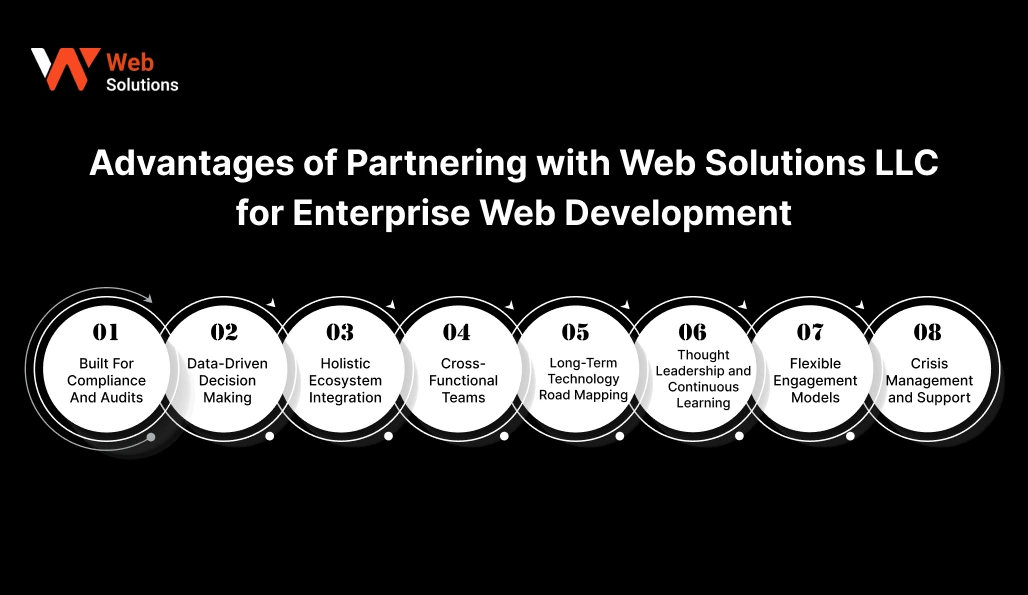
Enterprise web development is not only about building a web app. It is about building the right system, then keeping it stable when real users push it hard. Web Solutions LLC treats enterprise web solutions services as long-term support, not a one-time project. The focus stays on clear planning, strong security, and results you can track.
1. Requirement Gathering
Workshops help cut confusion early. Web Solutions LLC runs focused sessions to understand goals, users, daily work steps, and pain points. You get a clear feature list, set priorities, and a phase-wise plan that feels realistic. This keeps the project from going off track in the middle.
2. Data-Driven Decision Making
Decisions feel easier when you have numbers. The team sets tracking for adoption, performance, and workflow success, so you know what is working. This helps you improve the system after launch without guessing.
3. Holistic Ecosystem Integration
Most enterprise tools do not live alone. Web Solutions LLC plans integrations across CRM, support, finance, and analytics systems using an API-first approach. This reduces duplicate data entry and keeps teams working from one source of truth.
4. Cross-Functional Teams
Enterprise builds need more than developers. You need UI/UX, backend, QA, DevOps, and security thinking together. Cross-functional teams reduce handoff errors and speed up delivery because problems are solved in one place.
5. Long-Term Technology Road Mapping
A good enterprise web app grows in steps. Web Solutions LLC helps plan what to build now, what to phase later, and what to avoid until the foundation is ready. This keeps budgets steady and makes scaling smoother.
6. Thought Leadership and Continuous Learning
Tech changes fast, but enterprise systems cannot chase every trend. The team keeps your stack modern where it matters, like security updates, performance upgrades, and safe AI adoption. You get practical recommendations, not hype.
7. Flexible Engagement Models
Some teams need a full build team. Others need a small pod to support an internal team. Web Solutions LLC offers flexible models so you can match the setup to your budget, timeline, and internal capacity.
8. Crisis Management and Support
Real systems face real issues, like slowdowns, broken integrations, or sudden traffic spikes. Web Solutions LLC provides monitoring, quick triage, and clear fixes, so downtime does not turn into a business fire. This is where enterprise web solutions services prove their value after launch.
Also, read: The Cost of Startup Web Solutions: Budgeting for Your First Website
Conclusion
Business growth looks exciting from the outside. Inside, it often feels like juggling too many tools, too many approvals, and too many “where is this file” messages. That is exactly where Enterprise Web Solutions development help. They bring workflows, data, roles, and reporting into one system, so teams can work faster and make fewer mistakes.
If you are planning enterprise web app development, keep the focus on the basics that matter. Clear goals, clean UX, strong security, and reliable integrations. That is what turns a web platform into something people trust daily. With the right enterprise web solutions services, you also get long-term stability, not just a launch date.
In the end, good enterprise web development is simple in spirit. It removes friction. It protects data. It helps you scale without rebuilding everything again.
FAQs
1. What Are the Types of Enterprise Web Solutions?
These solutions come in many forms. Common ones are employee portals, customer portals, vendor portals, CRM and support tools, approval and workflow systems, intranets, reporting dashboards, and ERP-linked web apps. Some are built for one team, like HR or support. Others are for the full company, so sales, finance, ops, and support can work from one shared system. The right choice depends on who will use it daily and which work process you want to fix first.
2. How Can Custom Enterprise Web Solutions Development Improve Operational Efficiency?
Custom builds cut repeat work. Approvals move in a clear order. Tasks go to the right person without chasing. Data gets entered once and reused across teams. Updates stay inside the system, not spread across email and chat. Over time, you see fewer errors and faster turnaround, like quicker closures and fewer escalations.
3. How Can Large Language Models Enhance Enterprise Web Solutions Functionality?
LLMs can make search better, shorten long tickets, suggest draft replies, and help users find the right form or policy faster. They can also tag requests, route tickets, and pull key details from messy text. The safe approach is simple. Add guardrails, keep human review for critical actions, and log what the model did. LLMs should assist, not decide in risky workflows.
4. How Much Does Enterprise Web Development Cost?
Cost depends on scope, integrations, and how strict your security and testing need to be. A simpler internal platform may cost $20K–$70K. Mid-complexity builds often land around $80K–$180K. Complex, compliance-heavy systems with many roles and integrations can run $200K–$500K+. Final cost also depends on what you build now versus what you phase later.
5. What Are the Best Practices for Securing Enterprise Web Solutions?
Start with role-based access, strong login security, and safe session handling. Encrypt sensitive data and log key actions. Keep dev, staging, and production separate. Test security before launch, not after. Also plan patches and monitoring, because many issues show up only after real users start using the system. Security is ongoing, not a one-time task.