
eCommerce Web Solutions: Features, Tech Stack & Best Practices

A good eCommerce website does more than show products. It takes orders. It saves time. It grows sales even while you sleep. This is why e-commerce web solutions are now the backbone of online business. If you are new to this space, this simple guide on what web solutions really include helps explain everything that works behind a strong online store.
In the last five years, online buying has changed fast. Shoppers now expect fast pages, easy checkout, and smooth mobile use. If a site loads slowly or feels confusing, they leave in seconds. As per Statista’s global eCommerce data, online retail sales crossed 6 trillion USD in 2024, with mobile driving more than half of all purchases.
An eCommerce web solution brings design, development, payments, security, and growth tools into one working system. It is not just a website. It is a full business engine built for selling online.
TL;DR
- eCommerce web solutions run the full online selling system, not just the website.
- Speed, mobile use, and secure checkout now decide sales success.
- The right tech stack and design directly impact growth and stability.
- Poor planning leads to slow sites, security risks, and costly rebuilds.
- Scalable architecture protects your store as traffic and orders grow.
Key Points
- eCommerce web solutions combine design, backend systems, payments, security, and marketing into one working sales engine.
- Modern shoppers expect fast loading, smooth mobile browsing, and simple checkout, or they leave within seconds.
- Frontend and backend technologies must work together in real time to manage products, orders, users, and inventory.
- Secure payment gateways and automated tax systems prevent transaction errors and buyer trust issues.
- Strong UI and UX design quietly guides users from product discovery to final payment without confusion.
What Are eCommerce Web Solutions and How Do They Work
An eCommerce web solution is a complete system that helps you sell online. It includes your store design, product setup, cart, payments, security, and marketing tools. Many business owners think it is just a website. In reality, it is a working machine behind every online order. This guide on how web solution services actually work explains how different parts connect to keep your store running without daily technical trouble.
At the front, customers see product pages, prices, reviews, and the checkout screen. Systems in the back do all the heavy lifting: managing stock, orders, payments, and sending out shipping updates. All of these are happening through technologies that are connected and they communicate with each other in real time. If even one part breaks, sales stop.
To understand the basic structure, every eCommerce system works on three layers. The front end shows content to users. The back end processes data and orders. The server stores everything and keeps the site live. This basic web flow is well explained in this learning guide from MDN Web Docs. It shows how browsers, servers, and databases work together.
In short, eCommerce web solutions work silently in the background. Customers only see smooth shopping. You see orders, payments, and growth.
Key Features of Modern eCommerce Web Solutions

Smart features are at the core of modern eCommerce stores, which make the experience delightful for both shoppers and store owners. These features minimize the manual labor, make the buying process faster, and uplift the day-to-day operations. Many of these upgrades now come from automation and AI. This is why tools discussed in this guide on AI features in modern websites are becoming part of everyday eCommerce systems.
1. Product Catalog and Storefront Management
This is the first layer customers see. It includes product listings, categories, filters, images, prices, and stock status. A clean storefront helps users find the right product faster. If search or filters fail, customers leave in seconds.
2. Shopping Cart and Secure Checkout
The shopping cart holds selected items before payment. Checkout handles billing, shipping, and payments. A good checkout supports cards, wallets, UPI, and saved addresses. As shown in Shopify’s guide on essential eCommerce features, slow or confusing checkout is still the main reason buyers abandon carts.
3.Payment Gateway and Tax Setup
Payment systems connect your store to banks and wallets. Tax rules apply location-based charges automatically. A strong setup avoids failed payments and billing errors that anger buyers.
4.Order, Inventory, and Shipping Management
Orders move from purchase to packing and shipping through one dashboard. Inventory updates in real time. Shipping tools generate labels and tracking links without manual steps. This keeps daily operations smooth, even during sales rush.
5.Customer Accounts and CRM Tools
Customer dashboards store order history, saved addresses, and returns. CRM tools track repeat buyers, abandoned carts, and support queries. These details help improve retention and service.
6.Analytics and Performance Tracking
Analytics reveals which goods sell, where users drop off, and which pages convert. It is a comprehensive system that tracks traffic, revenue, ads, and customer behavior. Without this data, scaling becomes blind work.
eCommerce Web Design Solutions That Improve Conversions

Good design is not about looks alone. It is about how fast users find what they need and how easy they feel while buying. A well-planned design reduces confusion and pushes visitors toward checkout. Many brands see higher sales simply by fixing layout, speed, and mobile flow. This is why businesses that invest in custom website design that helps brands stand out often see better engagement and repeat visits.
1. UI and UX That Guide Users Smoothly
User interface controls how the site looks. User experience controls how it feels to use. Buttons must be easy to spot. Menus must stay simple. Product pages should show clear prices, stock, and delivery dates. When users do not have to think much, they move faster toward buying. Simple navigation directly contributes to conversion rates, according to eCommerce user experience research conducted by Nielsen Norman Group.
2. Mobile-First and Responsive Design
The majority of buyers have switched to mobile shopping. In case a site functions well on a desktop but appears to be broken on mobile, sales will decrease rapidly. Mobile-first design starts with small screen layouts and then adjusts for larger screens. This guarantees that product images stay clear, text remains legible, and the checkout process is seamless on any device.
3. Page Speed and Visual Performance
Design also affects speed. Page performance is hindered by the presence of heavy images, additional animations, and overly designed layouts. Even a one-second delay may lead to a decrease in conversions. The use of neat designs, image compression, and intelligent loading not only helps in retaining users but also in preventing them from becoming impatient and leaving.
4. Branding and Visual Trust
Colors, fonts, and spacing create brand identity. A consistent design across all pages builds trust. When a site looks polished and stable, users feel safe entering card details and personal data. Design trust is silent, but it plays a big role in sales growth.
eCommerce Web Development Solutions and Technology Stack
Behind every smooth eCommerce website is a strong development setup. This is where real performance, security, and scalability are built. Clean code, the right frameworks, and proper integrations decide how well your store will run under daily traffic and future growth. Businesses that invest in custom development for online business avoid many long-term limits faced by ready-made platforms.
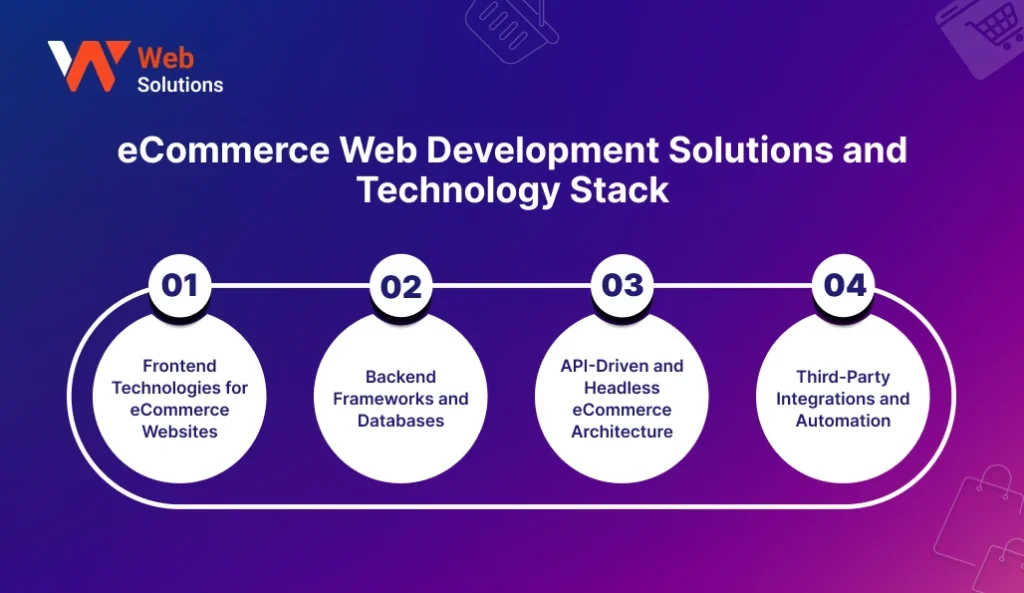
1. Frontend Technologies for eCommerce Websites
The frontend is the part of the website that users interact with and are visually presented. It comprises product pages, menus, carts, and checkout screens. Some of the widely used frontend tools are HTML, CSS, JavaScript, and the latest frameworks such as React or Vue. These technologies make the websites load faster and provide a better user experience particularly on mobile devices.
2. Backend Frameworks and Databases
The backend is the one which keeps track of orders, payments, users, and inventory. It operates silently in the background. Some of the commonly used backend technologies are PHP, Node.js, Python, and Java. While MySQL, PostgreSQL, and MongoDB are the databases that store product data, customer details, and order history. A strong backend prevents crashes during traffic spikes.
3. API-Driven and Headless eCommerce Architecture
Headless eCommerce is an architecture where the frontend is decoupled from the backend. Consequently, this results in a faster performance and more design freedom. The two parts are connected through APIs. This configuration is extremely beneficial for the brands that have websites, mobile apps, and kiosks running on the same backend system. Moreover, it is convenient in case you have plans for omnichannel selling in the future.
4. Third-Party Integrations and Automation
eCommerce systems rarely work alone. In addition, they link with payment gateways, shipping services, CRM tools, tax software, and marketing platforms. These integrations are the main reasons for the reduction of manual work and the occurrence of errors. Automation also helps with order updates, stock alerts, and customer emails.
If you want to understand how developers plan technology paths, this public learning map from Roadmap.sh explains frontend and backend roles in a simple visual way.
Best Practices for Building Scalable eCommerce Web Solutions

Scalability is what separates a temporary store from a long-term business. Many eCommerce sites work well in the first year and break in the third. Traffic grows. Orders increase. Systems slow down. The right planning at the start saves heavy rework later. This future-ready approach is also discussed in this guide on the future of web solutions and service trends, where scalability is a core focus.
1. Choose the Right Tech Stack from Day One
Do not pick tools just because they are popular. Pick them because they match your business size and growth plan. A small store can start with lightweight frameworks. A fast-growing brand needs stronger backend systems and flexible APIs. Changing tech later is expensive and risky.
2. Build for Traffic Growth, Not Just Current Users
Your site should handle three times your current traffic without slowing down. Sale days, festival offers, and influencer campaigns bring sudden spikes. Auto-scaling servers, load balancers, and cloud hosting help handle this pressure smoothly without crashes.
3. Create an SEO-Ready Architecture
Clean URLs, fast page speed, mobile-first layouts, and structured data are some of the factors that help eCommerce sites to get better ranks on Google. A lot of developers ignore the importance of SEO at the time of building and decide to fix it later through plugins. That shortcut often leads to poor long-term visibility.
4. Plan for Omnichannel and Future Integrations
Today it is a website. Tomorrow it could be a mobile app, POS system, or marketplace integration. Build your backend in a way that allows new sales channels without rewriting everything. This is where API-driven and headless setups become very useful.
To plan for extensive scalability, the cloud architecture patterns shared by the AWS Architecture Center reveal the methods employed by global eCommerce brands to handle the traffic, storage, and uptime issues on a large scale.
Common Mistakes to Avoid in eCommerce Web Development
A lot of eCommerce projects that don’t succeed are not the result of bad ideas but rather poor planning and taking shortcuts. The minor mistakes made during the development can turn into costly problems later. This is why expert guidance, like the type explained in this guide on how web solutions consulting saves time and money, plays a big role in long-term success.
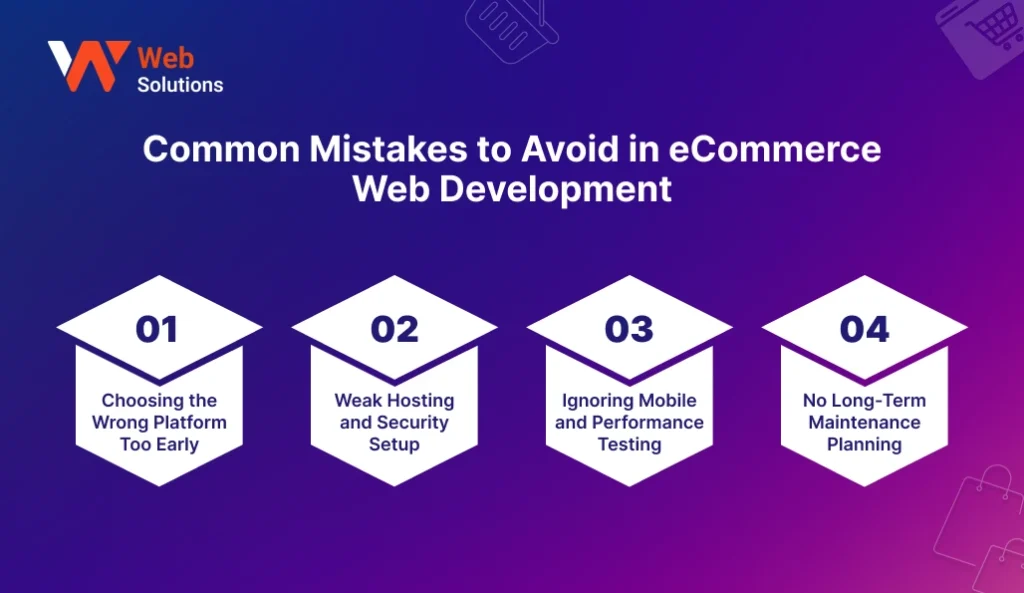
1. Choosing the Wrong Platform Too Early
Many businesses lock themselves into a platform without studying future needs. A system that works for 100 products may fail at 1,000. Platform limits later force expensive migrations and data issues.
2. Weak Hosting and Security Setup
Cheap hosting and missing security tools look fine at the start. However, when the traffic increases, the slow servers that cause downtime and lost sales come into play. Weak security can result in hacking, card fraud, and data leaks. These risks increase significantly in eCommerce settings.
For a clear look at eCommerce security threats and protection methods, Sucuri’s detailed guide on eCommerce security best practices explains common risks and how stores get attacked.
3. Ignoring Mobile and Performance Testing
Many teams test only on desktop. Mobile users then face slow pages, broken layouts, and failed checkouts. Since most users shop on phones, skipping mobile testing directly cuts revenue.
4. No Long-Term Maintenance Planning
Launch is not the end. It is the beginning. Websites require updates, backups, security patches, and performance checks. If there is no maintenance plan in place, bugs, and slowdowns will, consequently, quietly harm the store month after month.
How to Choose the Best eCommerce Web Solution for Your Business

Choosing the right eCommerce setup is not about trends. It is about fit. A solution that works for one brand may fail for another. Your size, products, budget, and growth plans decide the best path. This is where clear guidance from experts, like the role explained in this guide on the role of a web solutions consultant, helps business owners avoid costly wrong turns.
1. Business Size and Growth Goals
A small startup needs speed and low cost. A growing brand needs flexibility and control. If your plan is to stay small for now, a ready platform may work. If you plan to scale fast, a custom eCommerce build gives more room to grow without limits.
2. Product Type and Inventory Complexity
The management of 5 digital products is totally different from that of 5,000 physical items. The system complexity can rise due to the presence of custom products, subscriptions, or multi-vendor setups. Your eCommerce solution should be able to accommodate your product logic without the need for manual work.
3. Budget and Timeline Planning
Each eCommerce project is associated with two budgets: one for the launch and another for the long-term running. A lot of businesses spend all their money on design and forget about hosting, updates, security, and support. A well-balanced plan is a way to escape sudden cash crises later.
4. Support, Upgrades, and Long-Term Ownership
Who will be responsible for updating your site next year? Who will be able to fix it when there’s a crash? Who owns your data and code? These questions are more important than features. Long-term ownership provides the feeling of security and business control.
For more business technology decision guidance, Forbes regularly publishes expert insights via the Forbes Technology Council, which is followed by many business owners for strategic planning.
| Cost Component | Basic Store | Growth-Ready Store | Enterprise Store |
| UI and UX Design | $1,500 to $3,000 | $4,000 to $8,000 | $10,000 to $25,000 |
| Frontend Development | $2,000 to $4,000 | $6,000 to $12,000 | $15,000 to $30,000 |
| Backend Development | $3,000 to $6,000 | $10,000 to $25,000 | $30,000 to $80,000 |
| Payment Gateway Setup | $300 to $800 | $1,000 to $2,500 | $3,000 to $6,000 |
| Product & Inventory System | $800 to $1,500 | $3,000 to $7,000 | $10,000 to $25,000 |
| Third-Party Integrations | $500 to $1,500 | $4,000 to $10,000 | $15,000 to $40,000 |
| Hosting and Server (Yearly) | $200 to $600 | $1,000 to $3,000 | $6,000 to $15,000 |
| Maintenance (Yearly) | $800 to $2,000 | $3,000 to $8,000 | $12,000 to $25,000 |
Conclusion
The great eCommerce site is not a one-day wonder. It will take another five years to be actually built. What is more, by means of the right eCommerce web solutions, you will be able to make sales without difficulty, keep your data safe, expand with confidence, and stay ready for any new market requirements at all times. When the processes of design, development, hosting, and security come together, your online store will be more like a business engine than just a digital display.
Most businesses go on to purchase tools and platforms without giving a thought to their growth, traffic, or future upgrades. This shortcut most of the time ends with slow sites, increasing costs, and platform limitations. Having a well thought out eCommerce platform will be able to foiling these issues at the very start. It puts you in the driver’s seat, gives you stability, and opens up the possibility of extending your business when the sales get higher.
A rock-solid eCommerce foundation today decides how effortlessly your business will scale in the future.
FAQs
1. What is the best ecommerce web solution for small businesses?
There cannot be one single best solution for every small business. If you want to get your store up and running quickly and at a low cost, then a ready-made platform is a good choice. If your goal is to have complete control and be able to grow in the future, then a custom ecommerce web solution will be a better option in the long run. Choosing the right alternative depends on your budget, products, and the speed at which you want to grow.
2. Can ecommerce web solutions scale to enterprise-level businesses?
Definitely. Scalable ecommerce systems come with sturdy hosting, cloud servers, APIs, and automation. To be able to handle heavy traffic, complicated inventory, sending from multiple locations, and advanced security issues without any loss of speed, enterprise stores usually opt for custom development.
3. How long does it take to build a full ecommerce website?
Generally, a basic ecommerce store is done within 4 to 8 weeks. A medium-sized custom store usually takes 3 to 4 months. Large enterprise solutions may be 6 months or even longer. The schedule is primarily determined by the design, features, integrations, and testing stages.
4. Is custom ecommerce better than SaaS platforms?
Custom eCommerce is a more suitable option for those business which crave for the fullness of control, exceptional workflows, and long-term cost stability. Whereas, SaaS platforms could be a good choice for quick launches and simple stores. Many growing brands eventually transition from SaaS to custom in order to enjoy increased flexibility and ownership.
5. Do ecommerce websites need SEO from the start?
Definitely. SEO is a must-have feature for the site architecture from day one. Cleaner URLs, quicker page speed, correct mobile layout, and structured data all make it easier for the search engines to ‘understand’ your store. Google itself lays out the basics for site visibility in its Search Essentials guide which is totally applicable to ecommerce stores.
6. How often should an ecommerce website be updated?
Security updates, backups, and performance checks should be done on a monthly basis. Feature updates and design changes are normally done every 6 to 12 months. Regular updates will ensure that the site is fast, secure, and compatible with new browsers as well as payment systems.